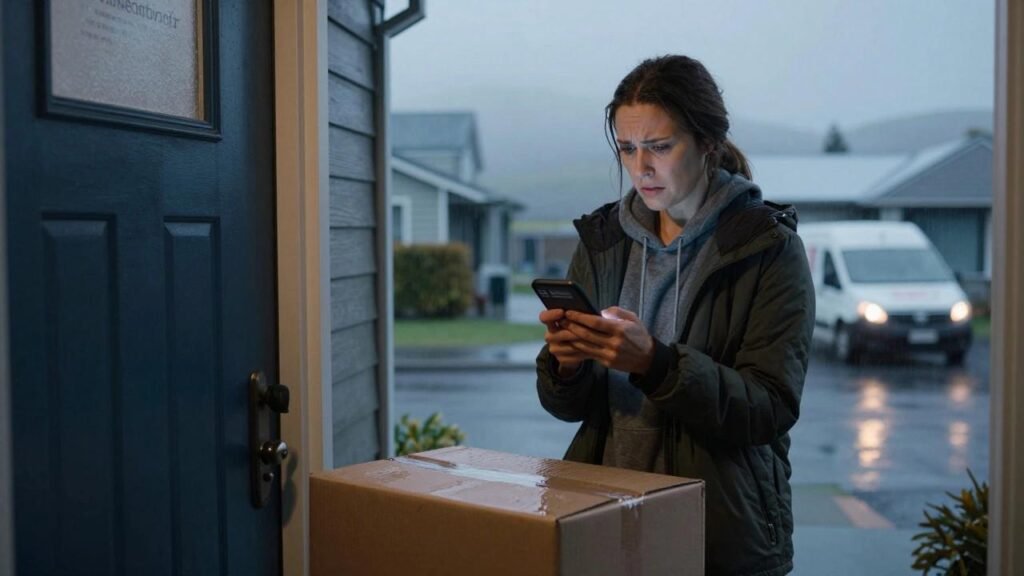

Amazon package delayed? If your order hasn’t arrived by the estimated delivery date, you’re probably wondering whether to keep waiting, contact customer service, or request a refund.
Late deliveries can be frustrating, especially when you’ve ordered something important for a birthday, holiday, work project, or everyday household need.
Fortunately, Amazon provides several ways to check your delivery status and resolve missing or late orders.
According to Amazon’s current customer service guidance, most delayed packages arrive within 48 hours after the estimated delivery date. If your order still hasn’t arrived after that period, the next steps depend on who shipped it, its tracking status, and whether a guaranteed delivery date applied.
This guide explains what to do when your Amazon delivery is delayed, how to contact customer service, when you may qualify for a refund, and what happens if your order never arrives.
Last reviewed: November 10, 2026. This guide applies primarily to orders placed through Amazon.com in the United States. Refund eligibility depends on your order details and Amazon’s applicable policies.
Amazon Package Delayed: What Should You Do First?
If your Amazon delivery is late, start by checking the order information instead of immediately submitting a refund request.
Here’s a quick guide:
| Order Status | Recommended Action |
|---|---|
| Arriving late | Check the revised delivery estimate and tracking updates |
| Out for delivery | Monitor tracking through the scheduled delivery window |
| Delayed less than 48 hours | Check notifications and allow time for an update |
| Delayed more than 48 hours | Contact Amazon or the third-party seller |
| Delivered but missing | Check delivery locations and follow missing-package steps |
| Undeliverable | Check the automatic refund status |
| Third-party seller order | Contact the seller and review A-to-z Guarantee eligibility |
A delayed delivery does not automatically qualify for a full refund. The available resolution depends on the circumstances.
1. Check Your Amazon Order Tracking
The first step is to find the latest tracking information.
How to Track Your Amazon Package
- Open the Amazon website or shopping app.
- Sign in to your Amazon account.
- Go to Your Orders.
- Find the delayed order.
- Select Track package.
- Open All updates to view available shipping details.
You may see several different tracking statuses.
Arriving: Your package is on its way, usually with a delivery estimate.
Out for delivery: The package is on a delivery route and is expected that day.
Delayed: Delivery is taking longer than originally estimated.
Delivered: The carrier has recorded the package as delivered.
Undeliverable: The package could not be delivered and may be returned for a refund.
Some orders contain multiple shipments, so individual items may have different delivery dates.
Amazon’s official package tracking guide explains how to locate order updates and tracking numbers.
2. Understand Why Your Amazon Delivery Is Delayed
An Amazon package delayed status can appear for several reasons.
Severe Weather
Snowstorms, heavy rainfall, flooding, and other weather conditions can interrupt transportation and delivery routes.
These disruptions may affect multiple delivery companies across a region.
High Holiday Shopping Demand
Major shopping events and holiday seasons often increase the number of packages moving through delivery networks.
This can contribute to processing or transportation delays.
Transportation Problems
Vehicle breakdowns, heavy traffic, and operational issues can interrupt scheduled deliveries.
International Shipping Delays
Items shipped internationally may experience customs checks or other cross-border processing delays.
Delivery Address Problems
Missing apartment numbers, incorrect addresses, limited building access, and other delivery obstacles can prevent a carrier from completing delivery.
Before contacting support, verify that the delivery address is accurate.
3. Should You Wait 48 Hours for a Delayed Amazon Package?
Amazon’s Late Deliveries guidance advises customers to allow 48 hours after the estimated delivery date for unexpected delays.
Many delayed orders arrive during that period.
For example, if your package was expected on Monday, Amazon generally recommends allowing the following 48 hours before escalating a typical late-delivery issue.
However, the 48-hour guidance is not a guarantee that the package will arrive.
Check your tracking updates and email notifications in the meantime.
If the order remains missing after 48 hours:
- Contact Amazon Customer Service for Amazon-shipped orders.
- Contact the seller if a third-party seller both sold and shipped the product.
- Keep a record of the delivery estimate and tracking status.
Amazon also advises contacting customer service about Amazon-shipped late orders within 30 days of the estimated delivery date.
See the official Amazon Late Deliveries policy.
4. How to Contact Amazon About a Delayed Package
If your order hasn’t arrived and the recommended waiting period has passed, contact Amazon through the official website or app.
Step-by-Step Instructions
- Sign in to your Amazon account.
- Open Your Orders.
- Locate the delayed order.
- Select the available help or order-problem option.
- Choose the shipping or delivery issue that matches your situation.
- Follow the prompts to contact customer service or the seller.
- Explain that the estimated delivery date has passed and the item hasn’t arrived.
The exact menu labels may vary by device, order, and account.
You can use the following message:
Sample Message to Amazon Customer Service
“Hello, my Amazon order has not arrived, and the estimated delivery date has passed. I checked the tracking information, but the package is still delayed. Could you please review the order and let me know whether a replacement or refund is available? Thank you.”
Use Amazon’s official website or app rather than unfamiliar phone numbers found in advertisements or social media posts.
5. How to Request an Amazon Late Delivery Refund
If your package is significantly delayed or never arrives, you may be eligible for assistance.
However, there is an important difference between a refund for the shipping fee and a refund for an undelivered item.
Refund for a Missed Guaranteed Delivery Date
Amazon says that eligible guaranteed deliveries may qualify for a delivery-fee refund when the guaranteed date is missed.
To check the available option:
- Open Your Orders.
- Select the affected order.
- Choose Problem with an order, if available.
- Select Shipping or delivery issues.
- Choose Shipment is late.
- Follow the displayed instructions.
A missed estimated delivery date is not always the same as a missed guaranteed delivery date.
If you received free shipping, there may be no separate delivery fee to refund.
Refund for an Item That Never Arrived
If the package doesn’t arrive, contact the appropriate support channel and explain the situation.
Amazon may review the delivery history, seller information, and other order details before determining the available resolution.
A full refund or replacement is not automatic for every delayed order.
6. Amazon Package Delayed by a Third-Party Seller
Some Amazon Marketplace products are sold and shipped by independent sellers.
If your order falls into this category, the resolution process may differ from an Amazon-shipped order.
Start by contacting the seller through the order page.
Explain the problem and request an updated delivery estimate or an appropriate resolution.
What Is Amazon’s A-to-z Guarantee?
Amazon’s A-to-z Guarantee provides protection for eligible purchases sold and fulfilled by third-party sellers.
For certain non-delivery claims, Amazon’s stated eligibility conditions include:
- The package hasn’t arrived.
- Three days have passed since the latest estimated delivery date, or tracking shows delivery confirmation, whichever is sooner.
- You contacted the seller more than 48 hours ago without a satisfactory response or resolution.
- The other applicable eligibility requirements are met.
A claim may then be reviewed by Amazon.
Read the official Amazon A-to-z Guarantee policy before submitting a request.
7. What If Amazon Says Delivered but the Package Is Missing?
Sometimes the tracking page says a package was delivered, but you cannot find it.
This situation is different from a package simply running late.
Before reporting the package as missing:
- Confirm the delivery address.
- Check your front door, back door, garage, and other safe delivery locations.
- Review the delivery photo, if available.
- Look for a delivery-attempt notice.
- Check your mailbox or designated package room.
- Ask household members whether they accepted the package.
- Check for carrier updates.
Only contact neighbors if you feel comfortable and safe doing so.
Amazon advises allowing up to 48 hours in some circumstances because tracking may show delivery before the package actually arrives.
If the package remains missing, report the issue through Amazon’s official customer service process.
Amazon asks customers to report missing delivered packages within 30 days of the delivery date.
For detailed instructions, see Amazon’s missing package guidance.
8. What If Your Amazon Package Is Stuck in Transit?
A package may appear to remain at the same facility or show no tracking updates for an extended period.
This doesn’t necessarily mean the package has been lost.
Tracking scans can be delayed, especially during busy shipping periods.
What You Can Do
First, review the last available tracking event and the current estimated delivery date.
Next, determine whether the order is being shipped by Amazon or an independent carrier.
If a carrier is listed, you may be able to check the tracking number on its official website.
Avoid submitting duplicate refund requests while an active investigation is underway.
If the delivery estimate has passed, follow Amazon’s late-delivery guidance and contact the appropriate support team.
9. What Happens When Amazon Marks a Package Undeliverable?
An undeliverable package is one that the carrier cannot successfully deliver.
Possible reasons include:
- An incorrect or inaccessible address
- Missing apartment or building information
- Package damage
- An unreadable shipping label
- Repeated unsuccessful delivery attempts
- Safety concerns at the delivery location
For Amazon-handled undeliverable orders, Amazon generally returns the package and processes a refund.
Amazon says these packages cannot be reshipped through that process, so customers may need to place a new order.
Third-party seller orders can follow different procedures.
Learn more from Amazon’s Undeliverable Packages policy.
10. How Long Does an Amazon Refund Take?
Refund timing depends on when Amazon issues the refund and which payment method is used.
Once a refund has been issued, the payment provider may need additional processing time.
Amazon lists the following general processing periods:
| Refund Method | Estimated Processing Time |
|---|---|
| Amazon Gift Card | 2–3 hours |
| Credit card | 3–5 business days |
| Debit card | Up to 10 business days |
| Shop with Reward Points | Up to 5 business days |
| Certain other payment methods | Up to 30 days |
These figures describe payment-method processing after issuance. A return or refund investigation may take additional time.
How to Check Your Refund Status
Go to Your Returns in your Amazon account.
Select the relevant item to see available refund information.
You can also check the return confirmation email or account transactions.
Visit Amazon’s official Refunds help page.
11. Can You Cancel an Amazon Order That Is Already Delayed?
Whether you can cancel depends on the order’s current processing status.
If the item has not shipped and cancellation remains available, you may be able to cancel it through Your Orders.
Once a package has shipped, Amazon’s tracking guidance indicates that cancellation is generally unavailable.
If the order arrives after you no longer need it, review the product’s return eligibility and follow the applicable return process.
Some products may have special return restrictions.
During the 2026 holiday season, Amazon has also announced extended return windows for many eligible purchases, but those return policies are separate from late-delivery refund eligibility.
Always check the return details for your specific order.
12. How to Reduce the Risk of Amazon Delivery Problems
Not every delivery delay can be prevented, especially when weather or transportation disruptions occur.
However, a few practical habits can make delivery problems easier to manage.
Confirm your address: Check apartment numbers, ZIP codes, access instructions, and delivery preferences.
Watch the delivery estimate: Review expected dates before placing time-sensitive orders.
Use delivery notifications: Keep important shipment updates enabled.
Consider a secure delivery location: Where available, an Amazon Locker or another appropriate delivery option may reduce some package-security concerns.
Keep order records: Save important order confirmations, tracking updates, and customer service messages.
Order early for important events: Allow extra time before birthdays, holidays, and travel.
These steps cannot eliminate delays, but they can reduce avoidable problems and make support requests easier.
Frequently Asked Questions
Why is my Amazon package delayed?
Common reasons include severe weather, heavy delivery demand, transportation issues, customs processing, and delivery address problems. Check Your Orders for the latest tracking information.
What should I do if my Amazon package is late?
Check tracking updates and email notifications. Amazon generally recommends allowing 48 hours after the estimated delivery date before escalating a typical late-delivery issue.
Can I get a refund if my Amazon package is delayed?
You may qualify for a delivery-fee refund if an eligible guaranteed delivery date was missed. If the item never arrives, Amazon or the seller may offer additional assistance depending on the order and applicable policies.
Will Amazon automatically refund a late package?
Not every delayed package receives an automatic refund. Amazon may automatically process refunds for certain orders marked undeliverable, while other situations require a support request or eligibility review.
What if my Amazon package is delayed for a week?
Check the latest tracking details and contact Amazon or the seller. Do not assume that the package is lost solely because it is late.
Can I request a refund from a third-party Amazon seller?
Yes, depending on the order circumstances. Contact the seller first. If the issue remains unresolved and the applicable requirements are met, you may qualify for Amazon’s A-to-z Guarantee.
How long does Amazon take to refund my money?
The timeline varies. After Amazon issues a refund, credit card refunds generally take three to five business days, while debit card refunds can take up to ten business days. Some payment methods take longer.
What happens if my Amazon order arrives after I receive a refund?
Contact Amazon or the seller for instructions if an item arrives after a refund or replacement has been processed. Don’t assume you can keep both without checking the applicable resolution terms.
Final Thoughts
An Amazon package delayed notification can be frustrating, but the problem often has a straightforward next step.
Start by checking your tracking information, confirming the estimated delivery date, and reviewing Amazon’s notifications.
If your order remains delayed beyond the recommended waiting period, contact Amazon Customer Service or the third-party seller.
For eligible orders, you may be able to request a shipping-fee refund, replacement, or another appropriate resolution.
Remember that delivery delays, missing packages, undeliverable orders, and third-party seller disputes follow different procedures.
Using Amazon’s official order tools and customer service pages is the safest way to find out which options apply to your purchase.
Related US and UK Consumer Guides
For practical next steps, see How to Tell If an Online Store Is Fake. These guides cover different warning signs and safe ways to check online services.